Moving Out: Leaving Remotes, Smart Codes, and Manuals for the Next Owner
Published: Nov 2, 2026
The Pre-Move Hand-Off Audit: Categorization Framework
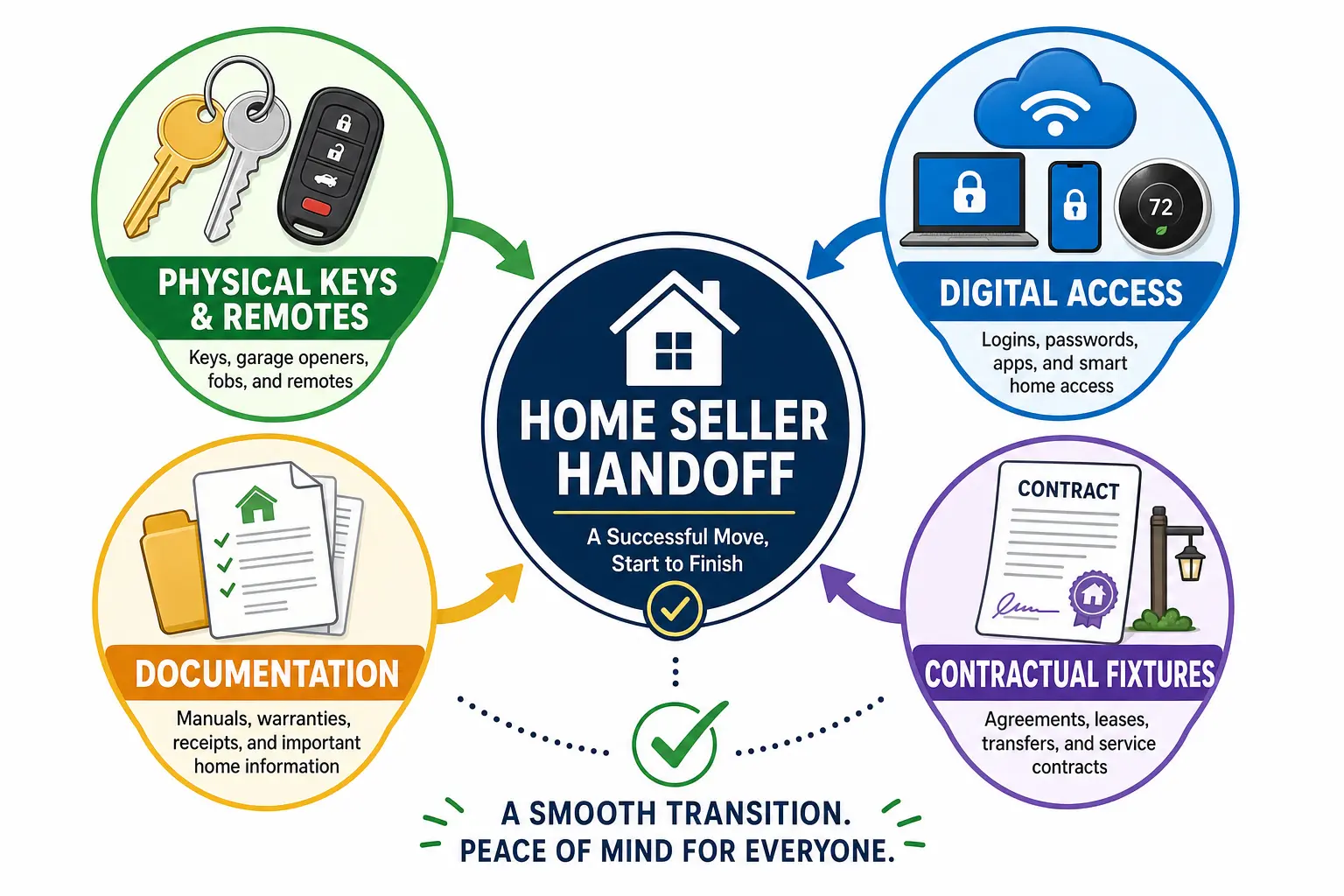
Closing on a home involves far more than packing boxes and handing over front door keys. According to research from the National Association of REALTORS® (NAR), over 70% of modern home buyers explicitly prefer properties equipped with smart home technology. However, handing over automated access systems, handheld remotes, and equipment documentation without a structured plan often leads to post-closing confusion, buyer friction, and lingering data privacy risks.
A seamless transition requires categorizing handoff items into four distinct pillars: contractual fixtures, physical remotes, digital credentials, and operational manuals. Fixed devices like ceiling fans, motorized shades, wall keypads, and automatic garage systems automatically remain with the home under standard real estate contracts. Ensuring these entry systems transition smoothly starts with identifying your specific hardware—for instance, understanding how do you know if you have a rolling code garage door opener enables you to leave precise operating instructions and accurate security parameters for the incoming resident.
Still stuck? Get it fixed today.
24/7 emergency service from licensed local technicians.
Physical Remotes and Keypad Reset Master Checklist
Missing handheld remotes and locked keypads represent one of the most common triggers for post-closing inquiries between real estate agents. To prevent buyer lockouts and protect your personal security, execute a complete wipe of all programmed memory before clearing the premises.
For exterior entry keypads and visor transmitters, perform a full memory clear directly on the overhead motor unit rather than simply removing batteries. If you are preparing exterior access controls for handover, reviewing standard steps for garage door keypad programming allows you to clear legacy access codes and program a temporary master PIN (such as 1-2-3-4) for moving day access.
Before organizing handheld controls, inspect each transmitter for active battery power and verify that wall console lock modes are disengaged. Homeowners frequently activate security toggles during move-out preparation—knowing where is the lock button on chamberlain garage door opener control panels helps prevent accidental system lockouts when buyers attempt to operate the door. Finally, confirming basic motor functionality and verifying ul 325 compliance ensures all primary safety sensors respond correctly prior to transfer.
Smart Home and IoT Disassociation Protocol
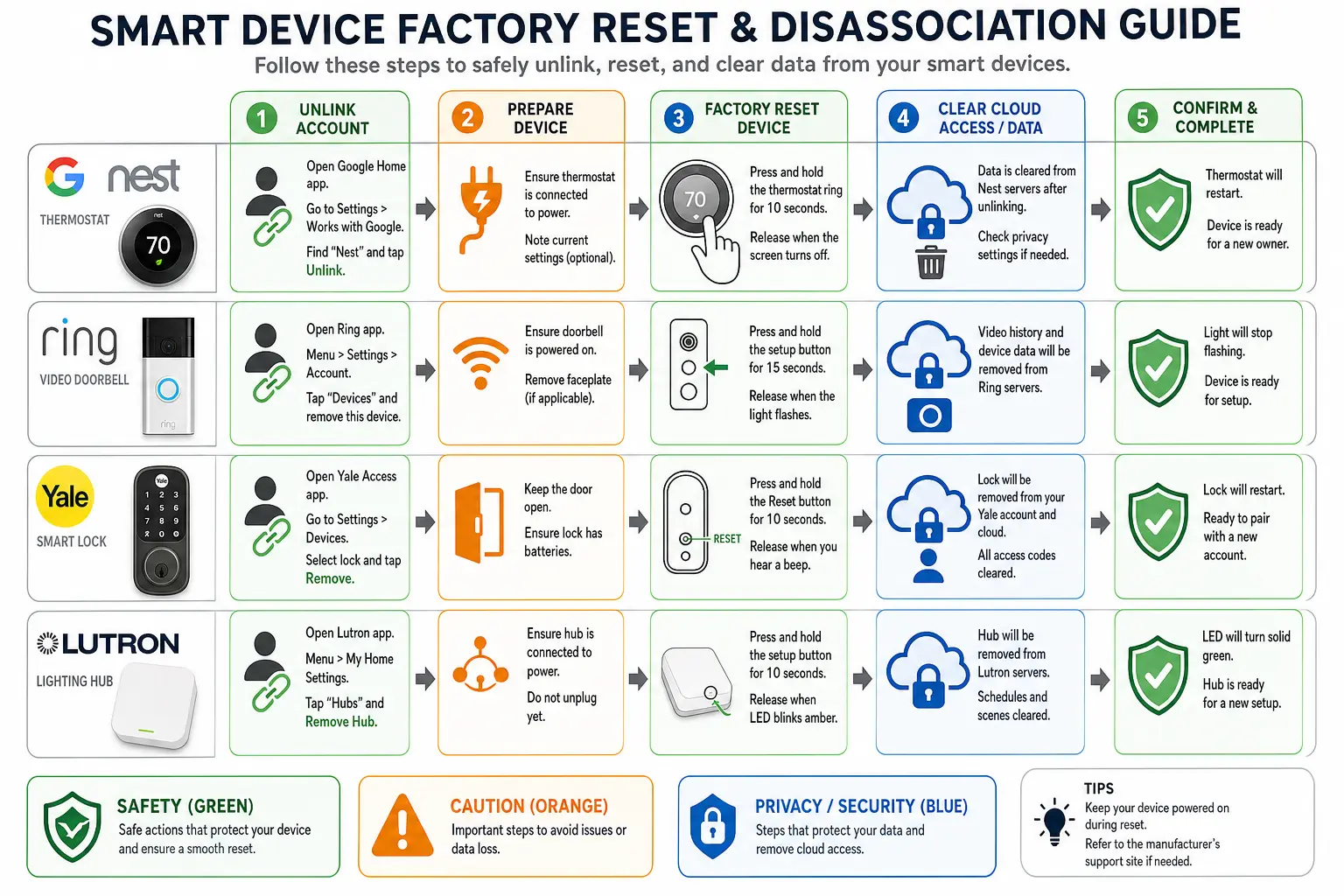
Data privacy studies highlighted by the Federal Trade Commission (FTC) indicate that 47% of consumers identify security and data exposure as primary concerns during smart home ownership transfers. Leaving connected devices linked to personal user accounts leaves home Wi-Fi credentials exposed and prevents new owners from registering hardware under their own profiles.
Executing a proper digital transfer requires a two-step disassociation for every connected device (including smart thermostats, video doorbells, smart locks, and myQ smart hubs):
- Account Unlinking: Remove device serial numbers and location tags from your mobile application while connected to the home network.
- Hardware Factory Reset: Depress the physical hardware reset button on each device for the manufacturer’s specified duration to delete stored network profiles and restore factory defaults.
For properties featuring integrated access platforms, completing a thorough garage door smart home integration reset removes guest permissions, clears geofencing triggers, and restores the Wi-Fi gateway to pairing mode. Before final walk-throughs, conduct a comprehensive garage door safety inspection and test automatic reversal force settings to verify that physical safety mechanisms operate flawlessly after clearing digital logic boards.
Building the Home Owner's Bible: Manuals and Warranties
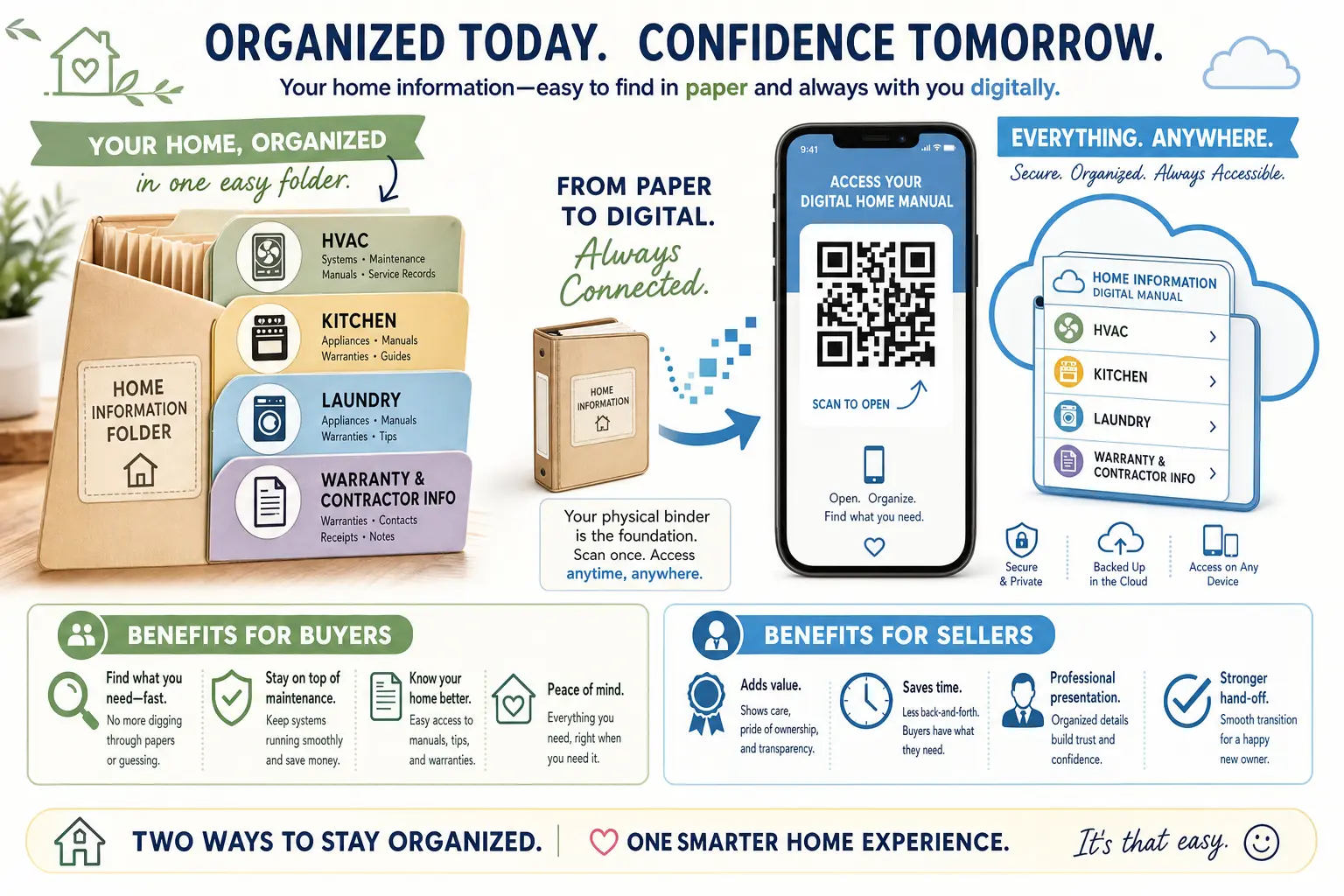
Consolidating printed operation manuals, warranty certificates, and contractor records into a centralized binder removes friction for incoming buyers. Group paperwork into logical categories: HVAC maintenance, plumbing, kitchen appliances, and automated access systems.
Place a labeled accordion binder on the kitchen island marked “Homeowner Transfer Binder — DO NOT PACK” so professional movers do not inadvertently load critical documentation into moving trucks. Modernize this handoff by creating a cloud-based folder containing PDF operating manuals, HVAC filter dimensions, architectural paint codes, and preferred local contractor numbers. Printing a durable QR code link to this digital folder and adhering it inside the main electrical panel or garage wall control unit provides buyers with instant digital access to your home’s operational blueprint.
Frequently Asked Questions
What happens if I forget to unbind my smart garage opener before moving out?
If you leave a smart opener registered to your account, the incoming owner will be blocked from pairing the hub to their smartphone app. You must log into your mobile application remotely, locate the device within your account settings, and select “Remove Device” or “Delete Location” to release the hardware serial number for new registration.
Am I legally required to leave all garage remotes and smart hubs behind?
Standard real estate sales contracts define components physically attached to the property—or custom-programmed to operate built-in systems like garage openers and motorized gates—as property fixtures. Unless explicitly excluded in your purchase agreement, all associated handheld transmitters, keypads, and smart bridges must remain with the home.
How do I prevent movers from accidentally packing handoff items?
Set up a dedicated “Day of Closing” container on the kitchen counter clearly tagged with bright masking tape. Place all labeled handheld remotes, entry keys, gate fobs, instruction manuals, and code sheets inside this bin before packing crews arrive on site.