How to Program LiftMaster Garage Door Opener Systems
Published: Jul 10, 2026
Whether you have just purchased a replacement remote, installed a brand new exterior keypad, or simply need to reset your system for security reasons, knowing how to program a garage door opener is an essential skill for any homeowner.
If your home is equipped with a LiftMaster garage door opener, you are in luck. LiftMaster has standardized its programming sequence across most of its models, making it highly user-friendly. In this guide, we will walk you through exactly how to program liftmaster garage door opener remotes and keypads quickly and safely.
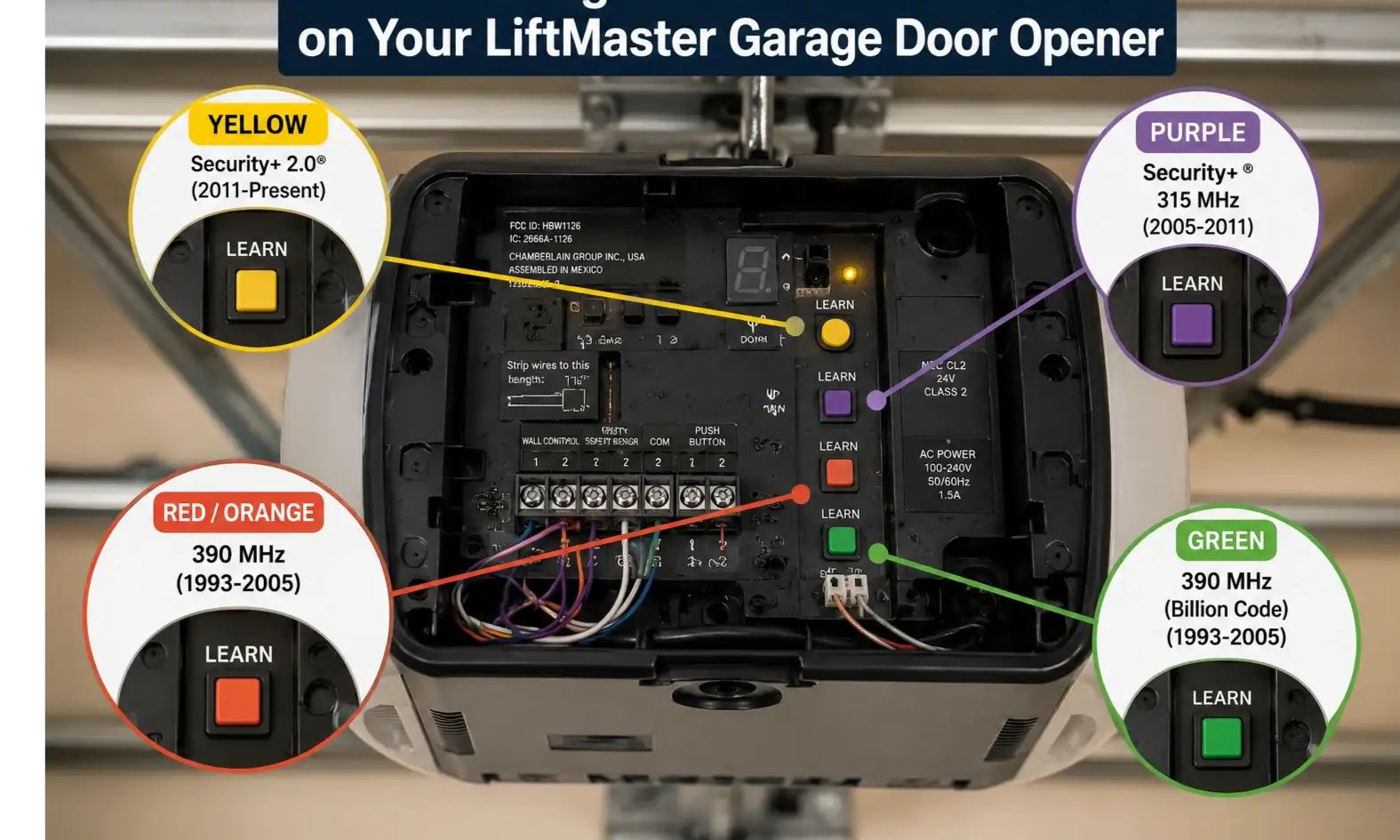
Locating the "Learn" Button on Your LiftMaster Garage Door Opener
Before you start pressing buttons on your remote, you need to find the "Learn" button on your main overhead motor unit. You will typically need a sturdy stepladder to reach it.
First, ensure the area is safe and clear. Working near the motor and tracks requires caution, so it's a good idea to review basic garage door chain safety guidelines before you begin.
Remove the light cover on the back or side of the motor. Underneath, you will see a colored button—usually Yellow, Purple, Red/Orange, or Green. The color of this button corresponds to the radio frequency your specific LiftMaster unit uses, which is crucial for ensuring your new remote is compatible.
How to Program Garage Door Opener LiftMaster Remotes
Syncing a standard handheld remote only takes a few seconds. Follow these steps:
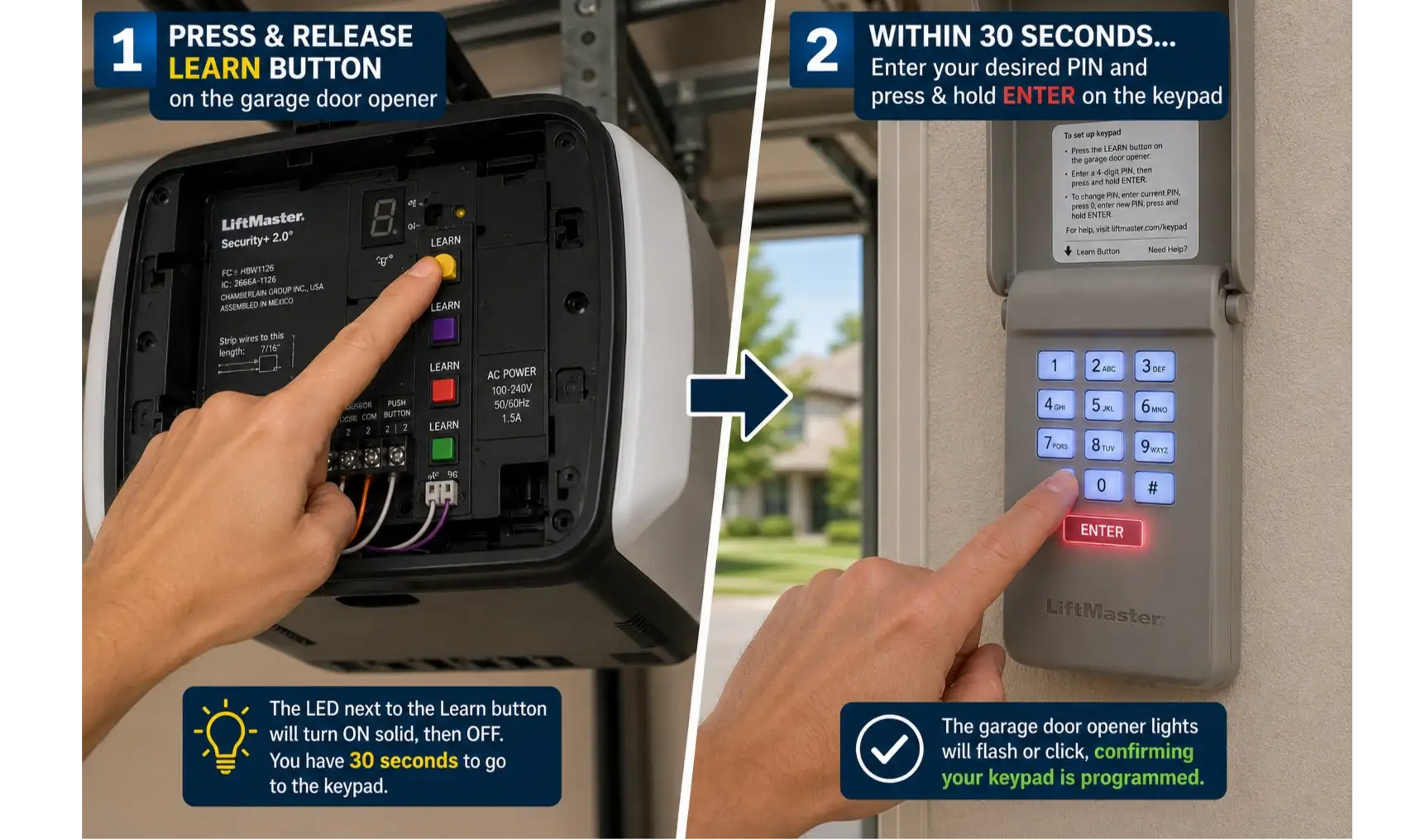
- Press and quickly release the "Learn" button on the overhead motor unit. An indicator light next to the button will glow steadily for about 30 seconds.
- Within this 30-second window, press and hold the button on your handheld remote that you wish to use to operate the door.
- Release the button when the main opener unit's lights blink (or if you hear two clicks).
- Test the remote to ensure the door opens and closes smoothly.
Tip: If you are selling your current vehicle that has a built-in remote system programmed to your LiftMaster, don't forget to clear your car's garage opener memory before selling to protect your home's security.
How to Program LiftMaster Garage Door Opener Keypad
Setting up an exterior wireless keypad is just as straightforward, but it requires inputting a Personal Identification Number (PIN). Here is how to program liftmaster garage door opener keypad systems:
- Press and release the "Learn" button on the main overhead motor. The indicator light will glow for 30 seconds.
- Quickly walk over to your exterior keypad. Enter your chosen 4-digit PIN.
- Press and hold the "Enter" button on the keypad.
- Release the button when the motor unit's lights blink or it makes two clicking sounds.
- Wait for the keypad's backlight to turn off, then enter your new PIN and press "Enter" to test it.
Upgrading and Troubleshooting Your LiftMaster
Sometimes, programming doesn't go exactly as planned. If the indicator light on your motor isn't turning on, or if the unit seems entirely unresponsive, you may be dealing with an electrical issue rather than a programming fault. In this case, you should look into troubleshooting garage door opener power issues to verify the unit is receiving electricity.
Additionally, many modern homeowners are looking to integrate their LiftMaster (often using the MyQ app) into their wider smart home ecosystem. If you are upgrading your setup, the process is quite similar to the steps required for connecting a smart garage door opener. For comparison, if you happen to have multiple garages with different brands, you might also find our guide on setting up Wi-Fi on a Ryobi garage door opener helpful.
Frequently Asked Questions (FAQ)
How do I erase all the remotes and keypads from my LiftMaster garage door opener?
To clear the memory, press and hold the "Learn" button on the overhead motor unit until the indicator light goes out (approximately 6 seconds). This will erase all programmed remotes and keypads, which is highly recommended if you have lost a remote or just moved into a new home.
Why won't my LiftMaster garage door opener keypad program?
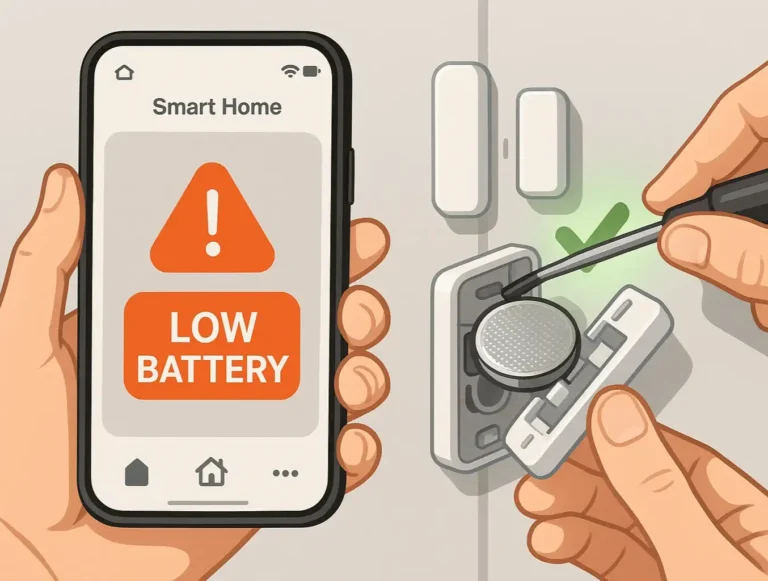
The most common reason a keypad fails to program is a dead or dying 9-volt battery inside the keypad itself. Replace the battery and try the programming steps again. Additionally, ensure you are completing the PIN entry within the 30-second window after pressing the "Learn" button on the motor.
Do I need to hold the learn button down to program a remote?
No. You should only press and immediately release the "Learn" button to enter programming mode. Holding the button down for more than 6 seconds will erase the entire memory of the unit, forcing you to reprogram all of your existing remotes and keypads from scratch.
You may also like