You’ve cleaned it, listed it, and finally sold it. As you watch your old car drive away, you run through a mental checklist: title signed, personal items removed, license plates off. But what about the one thing that connects that car directly to your home?
It’s a startling thought: the new owner of your car, who likely has your address from the old registration in the glove box, might also have a fully functional key to your house. Your car’s built-in garage door opener is more than a convenience; it’s a security device. Forgetting to clear it is like leaving a spare key under the welcome mat for a stranger.
This guide will walk you through everything you need to know, transforming that moment of panic into confident action. We’ll cover the simple, 60-second steps to secure your home, both before you sell and—crucially—even if you’ve already handed over the keys.
What to Do with Your Car’s Built-in Opener When Selling Your Vehicle
Published: Jun 1, 2026 | Updated: Jul 28, 2026
Your Two Lines of Defense for Total Garage Security
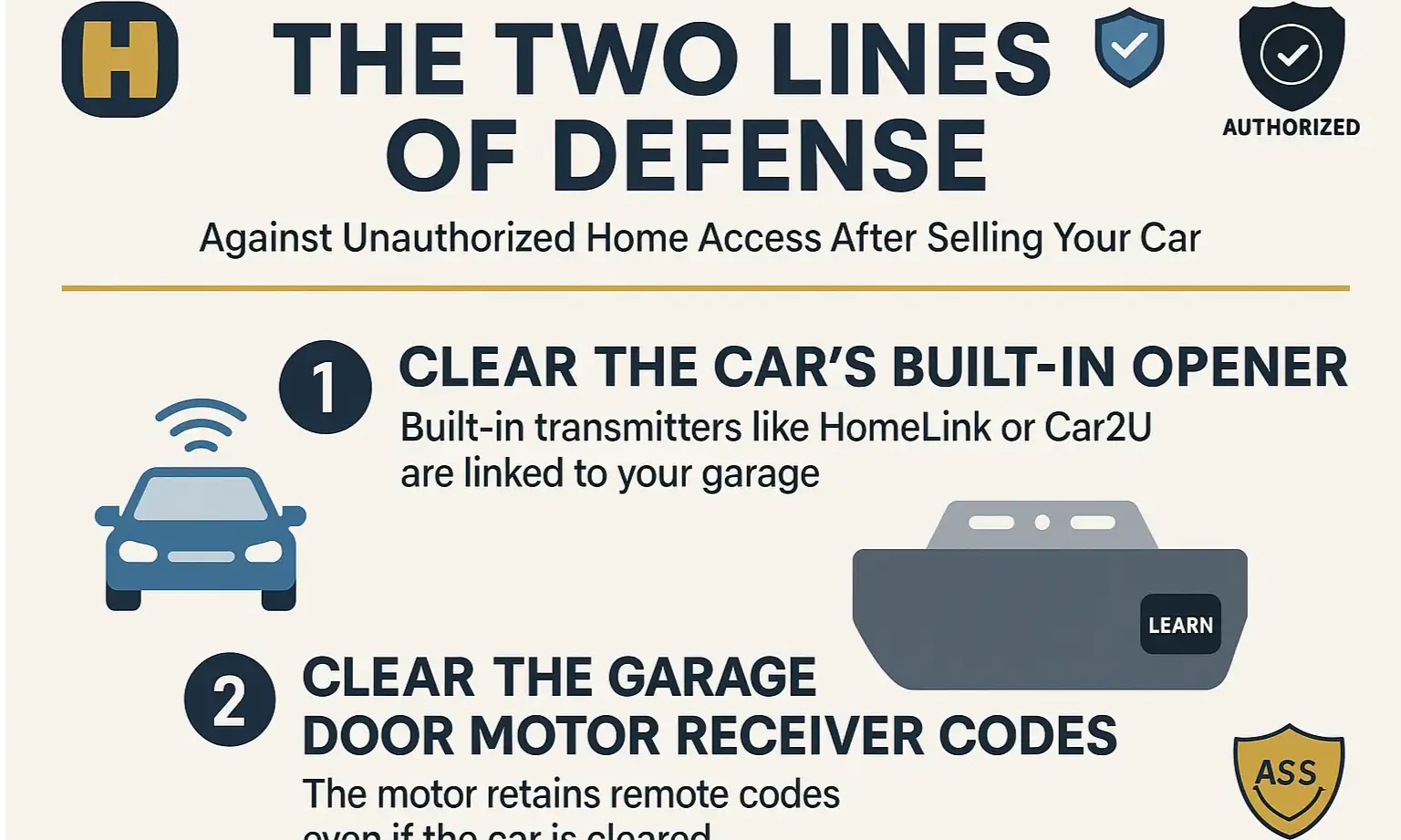
The “aha moment” for complete garage security is understanding that the connection between your car and your garage exists in two separate places:
To truly secure your home, you must sever the link from one of these points. Clearing the car is the easiest first step, but clearing the motor is the ultimate failsafe.
Plan A: Clearing Your Car’s HomeLink Before You Sell
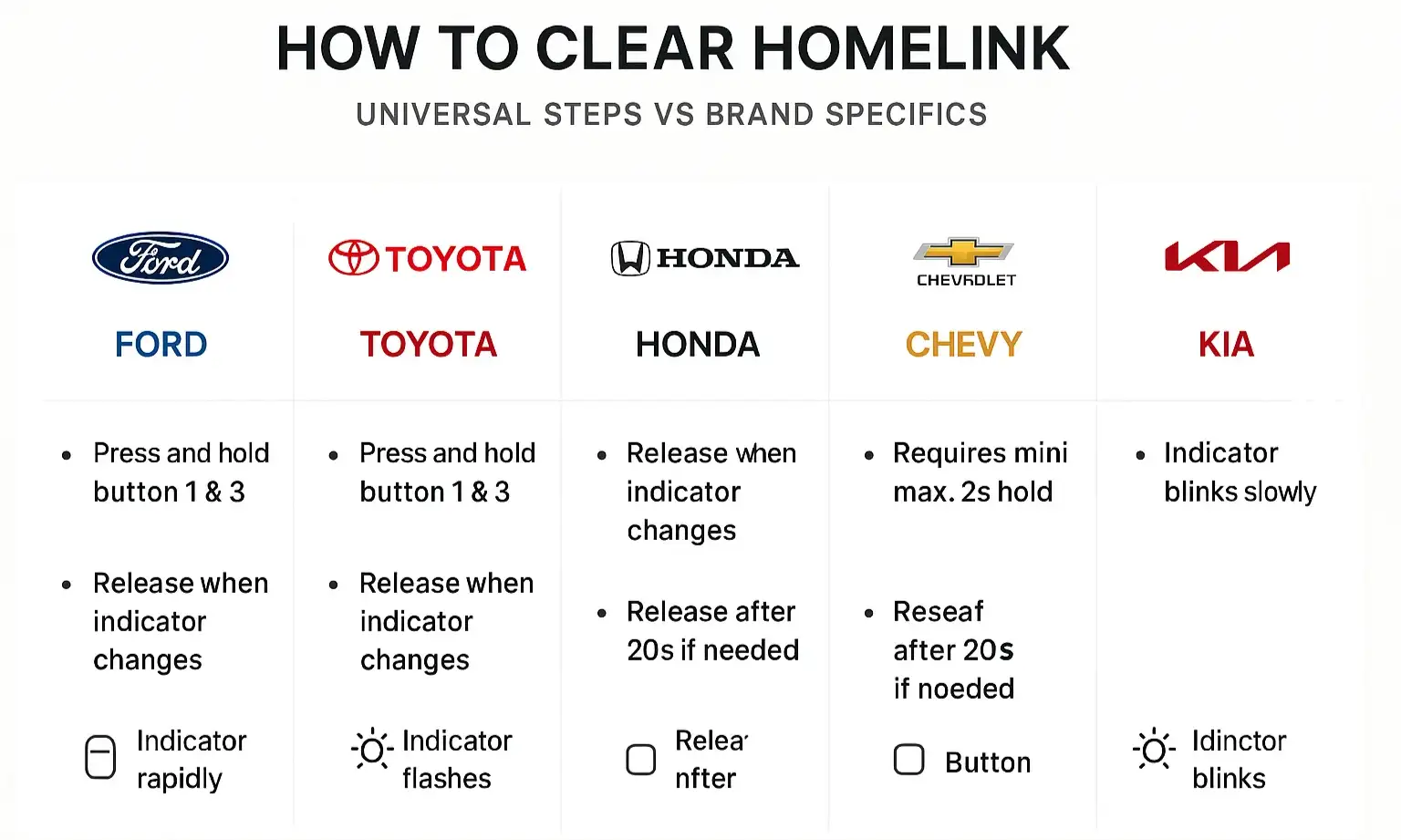
This is your first and easiest line of defense. Before the new owner arrives, take a minute to perform a master reset on the in-car system. While the exact process can vary slightly by manufacturer, the universal method for most HomeLink systems is incredibly simple.
The Universal HomeLink Master Reset:
Important Note: Simply reprogramming a single button for a new door does not erase the others. You must perform this master reset to ensure all stored codes are gone. If you’re looking for guidance on how to delete garage door opener from car systems of all types, this master reset is the most effective method.
Plan B: The "Forgot to Clear It?" Solution for Total Peace of Mind
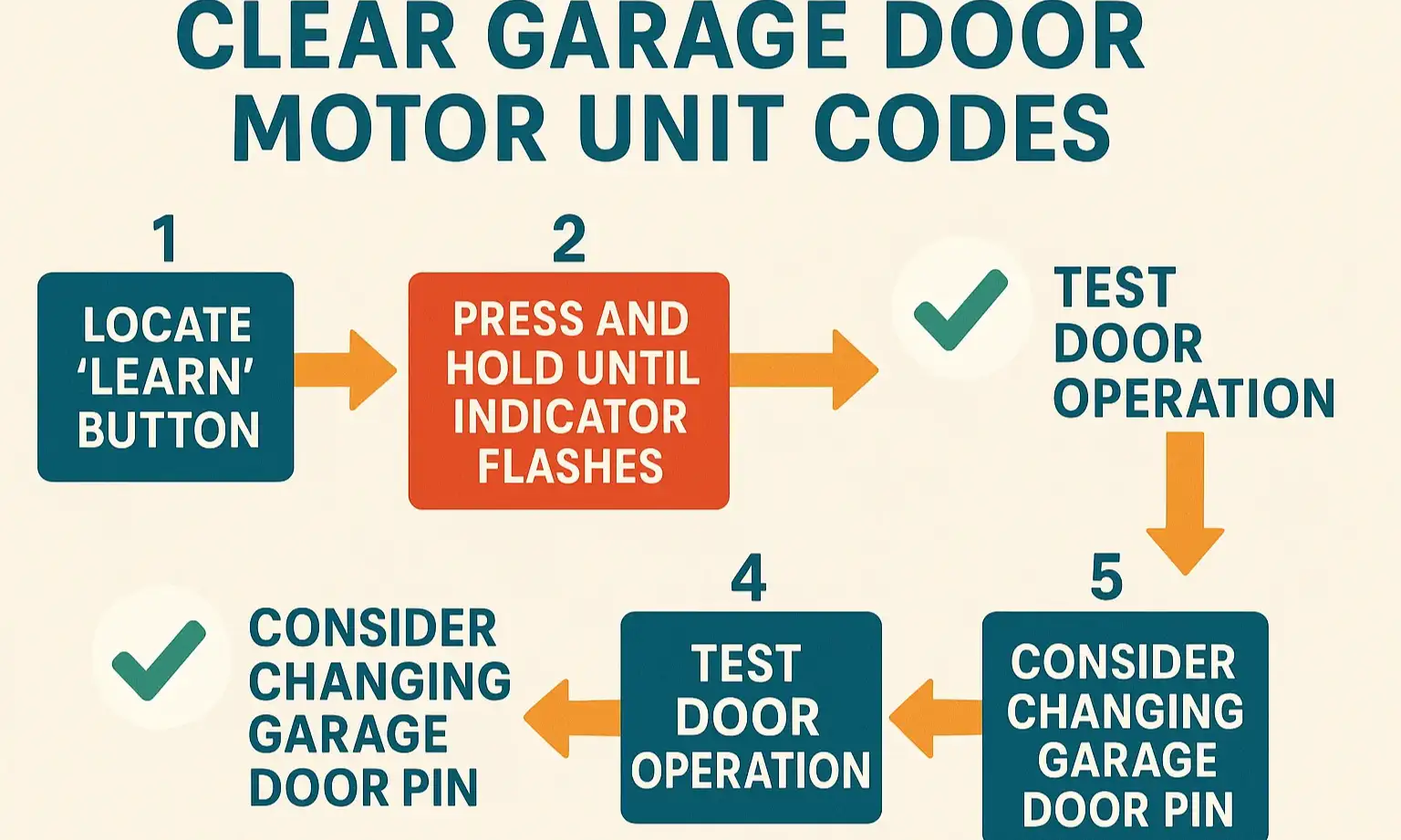
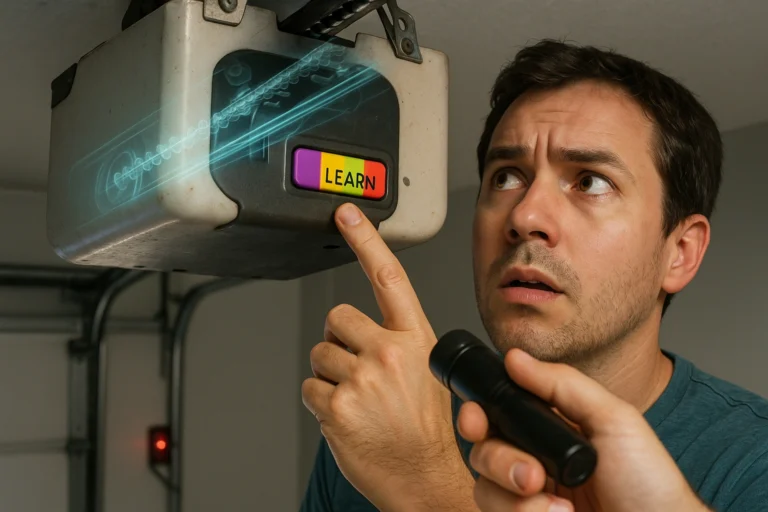
Did the car leave your driveway before you had a chance to clear the opener? Don’t worry. This is a common situation, and the solution is right in your garage. You can erase all learned codes directly from the garage door motor unit itself.
This action will disable every remote and keypad currently connected to your opener, including the one in your old car. It’s a clean slate for your home’s security.
This action will disable every remote and keypad currently connected to your opener, including the one in your old car. It’s a clean slate for your home’s security.
How to Clear Your Garage Door Motor’s Memory:
If you’re having trouble finding the button, our detailed guide on where is the learn button on a garage door opener can show you exactly where to look on popular models from LiftMaster, Chamberlain, and Genie.
The Definitive Brand-Specific Guide to Clearing Your Opener
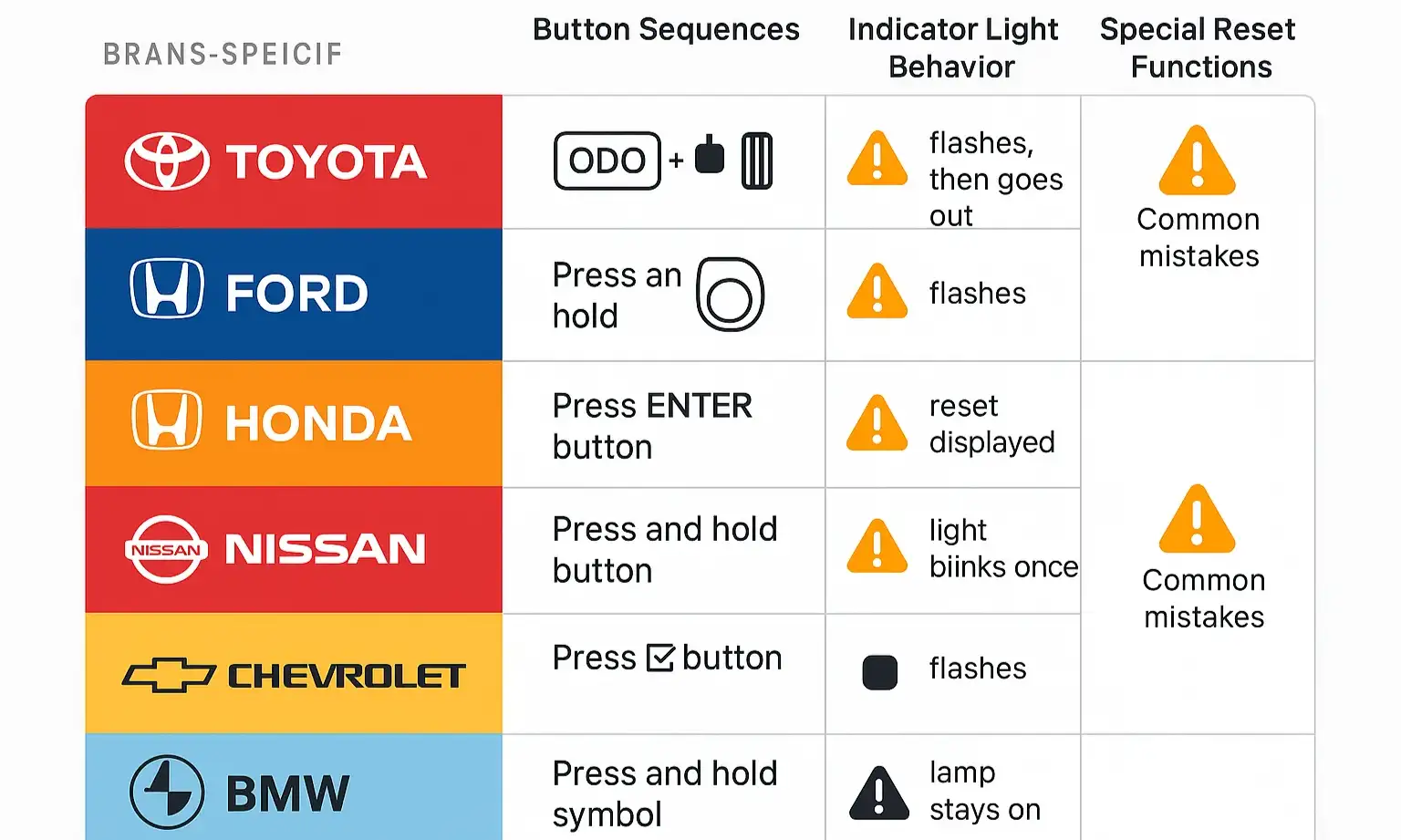
While the “press the two outer buttons” trick works for the majority of HomeLink-equipped vehicles, some manufacturers have slightly different procedures. Here is a quick-reference guide for popular brands.
Always consult your car’s owner’s manual if these steps don’t work. The instructions for how to clear garage door opener in car memory will be listed in the “HomeLink” or “Universal Transceiver” section.
Your Complete Pre-Sale Vehicle Data Checklist
Clearing your garage opener is just one part of digitally cleaning your car before a sale. To protect your privacy, run through this quick checklist:
Frequently Asked Questions (FAQ)
If I clear my car’s HomeLink (Plan A), will my other remotes stop working?
No. Plan A only affects the transmitter inside the car you are selling. Your other handheld remotes and any other vehicles programmed to that door will continue to work perfectly.
What if my car’s battery is dead or the car garage door opener not working prevents me from clearing it?
If you can’t perform the reset from inside the car for any reason, you must use Plan B. Clearing the memory from the garage door motor unit itself is the only way to guarantee the old car can no longer open the door.
I cleared the motor (Plan B). How do I get my other remotes working again?
Once you’ve cleared the motor, you simply need to re-link your remaining devices. For a complete walkthrough, see our simple guide on how to reset a garage door opener.
I’m buying a new car. How do I know if it’s compatible with my garage door?
That’s a great question. Most modern vehicles with HomeLink are compatible with the majority of openers made in the last 20 years, but there can be exceptions. Our guide on car garage door opener compatibility can help you figure it out.
Your Home Security is in Your Hands
Selling a car involves a lot of small details, but few are as important for your peace of mind as securing your home’s primary entry point. By taking a few minutes to follow Plan A or the failsafe Plan B, you can ensure that when you hand over the car keys, you’re not also handing over a key to your house.
By being informed and proactive, you’re taking a simple but powerful step in protecting your home and family.
By being informed and proactive, you’re taking a simple but powerful step in protecting your home and family.
Frequently Asked Questions
If I clear my car's HomeLink (Plan A), will my other remotes stop working?
No. Plan A only affects the transmitter inside the car you are selling. Your other handheld remotes and any other vehicles programmed to that door will continue to work perfectly.
What if my car's battery is dead or the car garage door opener not working prevents me from clearing it?
If you can’t perform the reset from inside the car for any reason, you must use Plan B. Clearing the memory from the garage door motor unit itself is the only way to guarantee the old car can no longer open the door.
I cleared the motor (Plan B). How do I get my other remotes working again?
Once you’ve cleared the motor, you simply need to re-link your remaining devices. For a complete walkthrough, see our simple guide on how to reset a garage door opener.
I'm buying a new car. How do I know if it's compatible with my garage door?
That’s a great question. Most modern vehicles with HomeLink are compatible with the majority of openers made in the last 20 years, but there can be exceptions. Our guide on car garage door opener compatibility can help you figure it out.