Types of Garage Door Keypads: Features & Comparisons


Published: Sep 14, 2026

When you stand outside your home in freezing weather, your entry system should feel like a seamless convenience, not a technical puzzle. Yet, choosing the right keypad or diagnosing an existing one often leads to high-friction compatibility mismatches, signal drops, or unexpected ongoing expenses.

To make the right choice, you first need to understand how your keypad communicates with the motor hanging from your ceiling. Over 90% of the North American residential market is controlled by two parent companies: the Chamberlain Group (which uses Security+ 2.0 rolling-code technology) and The Genie Company (which uses Intellicode rolling-code technology). If you are planning a fresh garage door keypad installation, matching these protocols is the key to a reliable setup.

The Quick-Match Compatibility Matrix


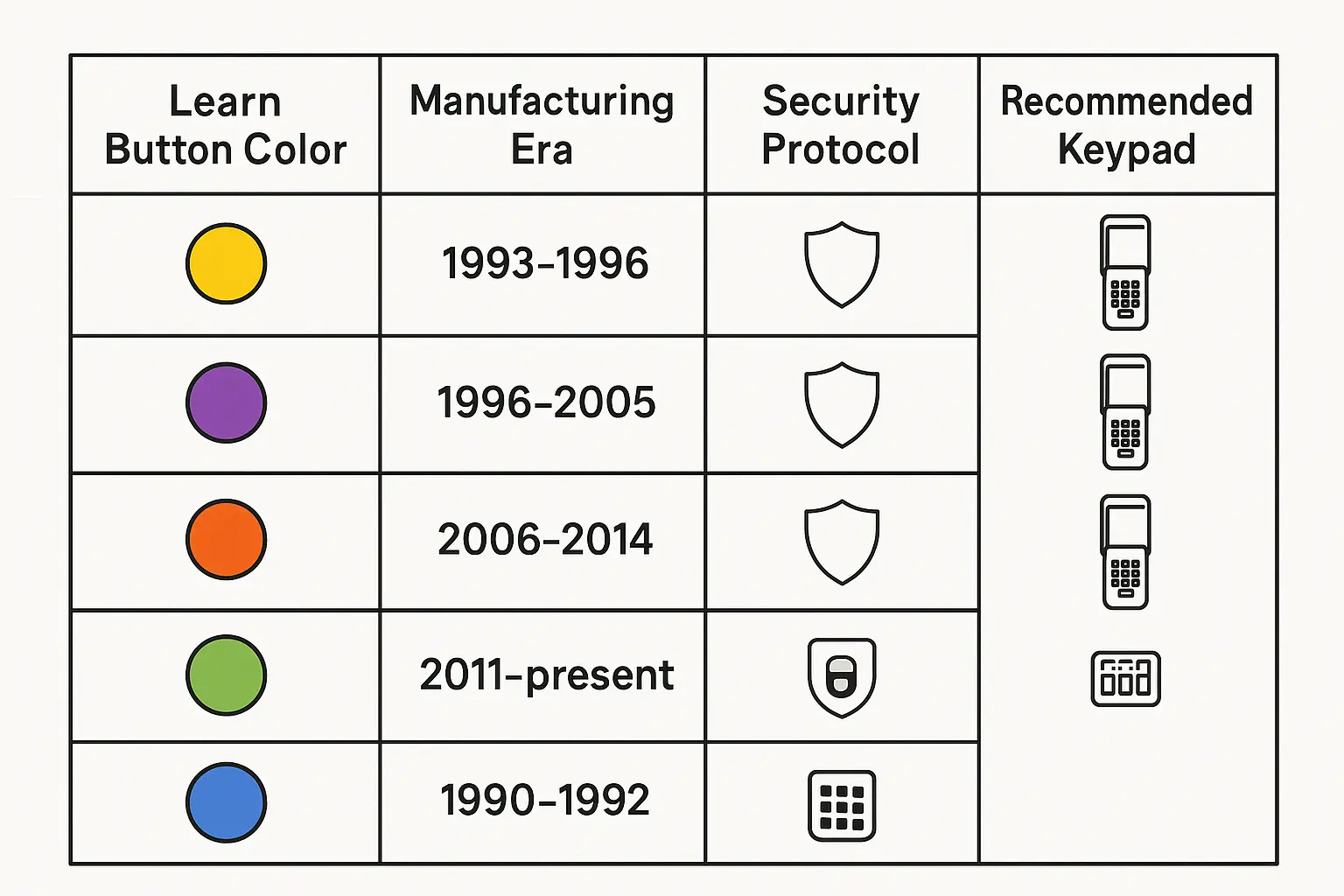
Before purchasing a keypad, you must identify your opener motor’s “Learn Button” color. Because residential garage motors frequently last 15 to 20 years, many homeowners do not know their specific model.

A quick-reference compatibility matrix linking opener learn button colors to compatible keypads and security protocols, enabling homeowners to identify the right garage door keypad for their system instantly.

Learn Button Color Manufacturing Era Security Protocol Recommended Keypad
Yellow 2011 – Present Security+ 2.0 (Tri-Band) LiftMaster 878MAX / myQ
Purple 2005 – 2011 Security+ 315 MHz Chamberlain 940EV-P2
Red / Orange 1997 – 2005 Security+ 390 MHz Chamberlain 940EV-P2
Green 1993 – 1997 Billion Code 390 MHz Chamberlain KLIK2U-P2
Round/Square Blue 1995 – Present Genie Intellicode Genie GK-R / GUK-R
DIP Switches Pre-1993 Fixed Code (9/12 Switch) Overhead Door OUK-BX

Using a universal keypad on a pre-1993 fixed-code system introduces serious security risks, as cheap radio frequency (RF) grabbers can easily clone your entry code. For modern systems, precise garage door keypad programming ensures that your rolling code changes after every single use, preventing unauthorized access.

Deep-Dive Product Showdowns: Traditional, Universal, and Smart Video


Chamberlain vs. LiftMaster (The Retail vs. Pro Dynamic)

While they are manufactured by the same parent company, Chamberlain keypads (like the 940EV-P2) are designed for retail DIY setup, whereas LiftMaster keypads (like the 878MAX) are professional-grade equivalents. If you have an existing pro-series motor, choosing a licensed liftmaster garage door repair expert ensures seamless integration with advanced security protocols.

Universal vs. Brand-Matched Keypads

Universal options like the Genie GUK-R or Chamberlain KLIK2U-P2 are excellent for multi-brand households. However, they lack some advanced features found in brand-matched units, such as temporary PINs for delivery drivers or guests.

The “Smart Video” Keypad Trap

Smart video keypads offer real-time camera feeds and customizable app alerts. However, they come with a significant 5-year Total Cost of Ownership (TCO). While a standard Genie GK-R keypad costs roughly $40 to $60 upfront with zero ongoing costs, a smart video keypad requires frequent battery recharging and a $3 to $10 monthly cloud storage subscription. Over five years, a smart video keypad can cost upwards of $680, making traditional wireless keypads a much more cost-effective choice.

Specialized Keypads: Wireless Gates vs. Overhead Doors


A standard residential overhead garage keypad is not built to operate exterior estate gates. Heavy-duty sliding or swing gates require a specialized wireless keypad gate opener (such as the LiftMaster KPW5). These gate keypads run on 12V power systems, offer extended signal ranges, and feature robust, vandal-resistant metal casings to withstand complete exposure to the elements.

Technical Troubleshooting & Hidden Solutions


How to Program a Genesis Vehicle HomeLink System to Your Keypad

Luxury vehicle owners (such as Hyundai Genesis GV70, GV80, or G80) often struggle to pair their built-in HomeLink mirror buttons with an outdoor keypad or receiver.
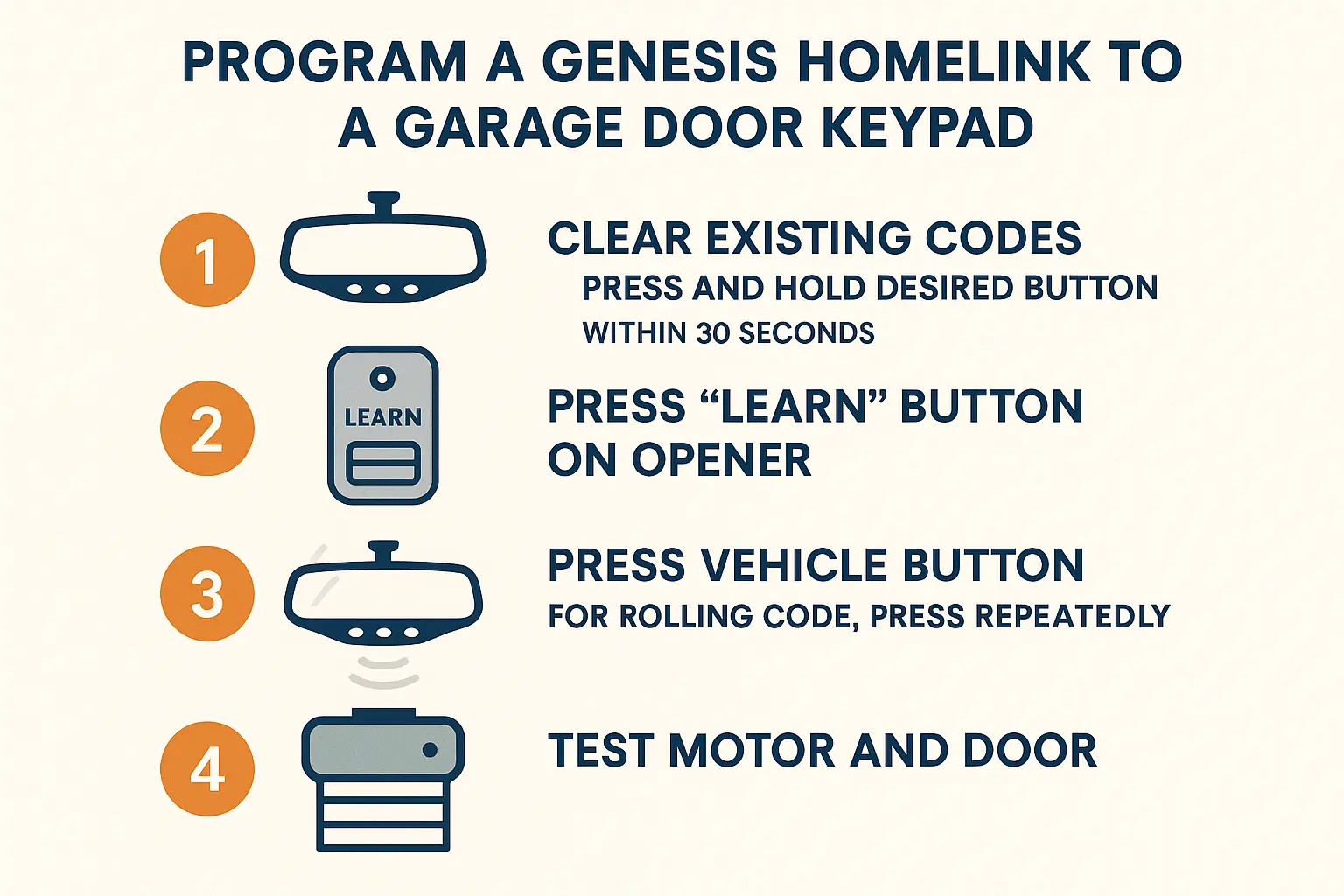
A clear stepwise guide for luxury vehicle owners on pairing their Genesis car's HomeLink buttons with their garage door opener keypad, demystifying a complex technical procedure.

To bridge this connection:

  1. Clear the Mirror: Press and hold the outer two HomeLink buttons in your Genesis until the indicator light flashes green.
  2. Trigger Learn Mode: Press the physical “Learn” button on your garage door opener motor.
  3. Synchronize: Within 30 seconds, return to your car and firmly press and hold the desired HomeLink button for 2 seconds. Release, and repeat the press-and-hold sequence. A third press may be required depending on your rolling-code generation.

The LED RF Interference Blockade

If your keypad only works intermittently, the culprit is likely the LED light bulbs inside your garage door opener casing.
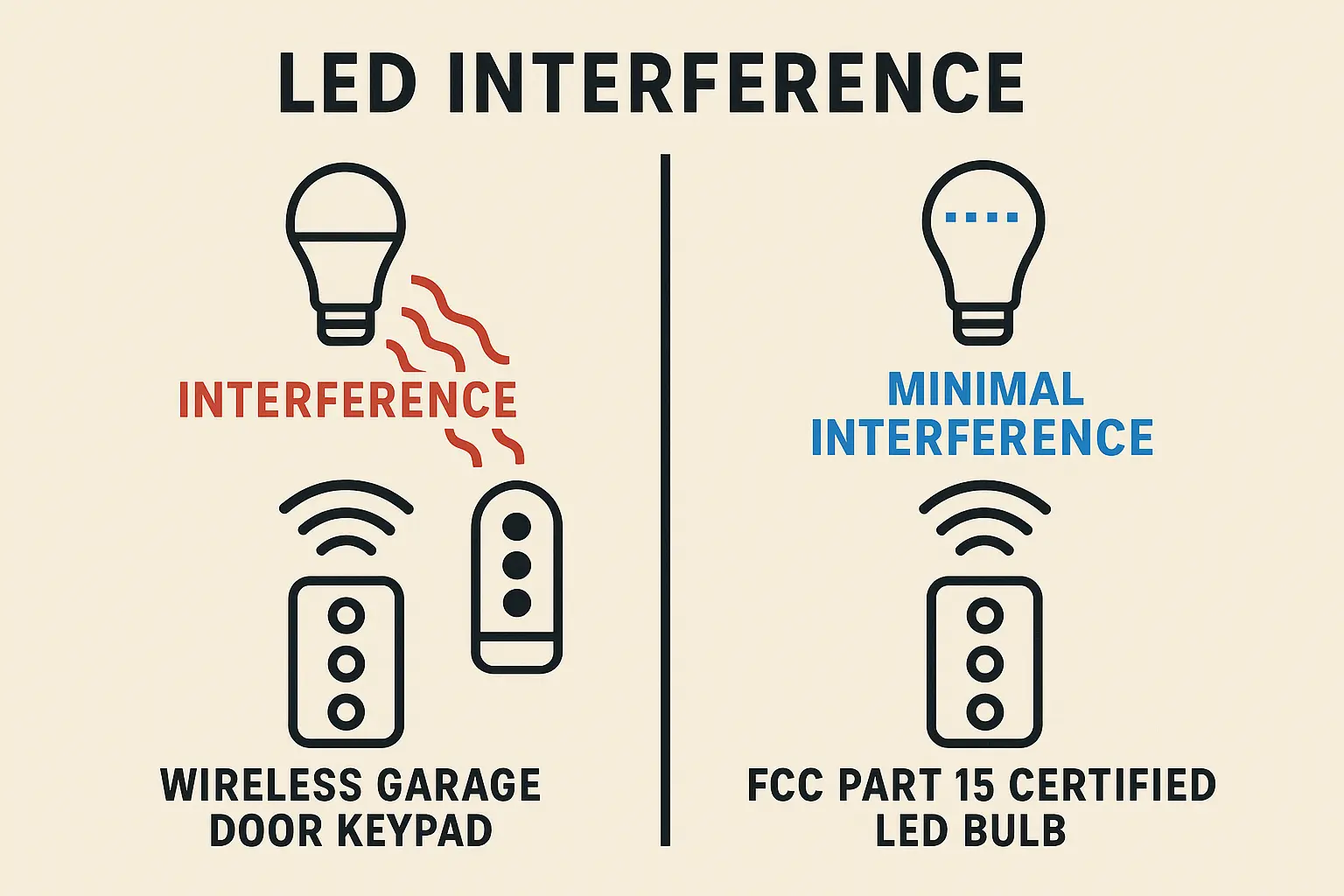
Visual breakdown of how standard LED bulbs emit radio frequency interference that blocks keypad signals, contrasted with clean, low-interference bulbs recommended for garage door openers.

Standard household LED bulbs emit electromagnetic interference in the 300 to 390 MHz spectrum. When active, this interference can reduce your keypad’s range from 50 feet to less than 3 feet. Learning how to fix garage door remote signal drops often starts with swapping cheap LED bulbs for FCC Part 15 certified, garage-safe LED bulbs.

Genie Keypad Battery Maintenance

90% of outdoor keypad failures in cold climates are due to battery voltage drops. Standard alkaline 9V batteries quickly lose power below freezing. To avoid sudden lockouts, how to change battery in garage door keypad units involves sliding down the protective cover, removing the bottom retaining screw, and swapping the standard cell for a high-performance Lithium 9V battery, which increases extreme-weather life up to three years.

If your physical keypad is worn, cracked, or failing to register button presses altogether, a complete garage door keypad replacement is the most reliable way to restore secure, hassle-free access to your home.

Frequently Asked Questions


Why does my garage door keypad only work sometimes?

Intermittent operation is usually caused by radio frequency interference from unshielded LED light bulbs in the opener, an aging alkaline battery struggling in cold temperatures, or loose internal wiring. Replacing the bulbs with garage-safe LEDs and upgrading to a lithium 9V battery typically resolves this issue.

How do I reset the entry PIN code on my keypad?

If you need to update your PIN for safety reasons, you can learn how to reset garage door code by pressing the “Learn” button on your opener motor, entering your new 4-digit PIN on the keypad, and holding down the Enter button until the overhead light bulbs flash.

Can I use any brand of keypad with my existing garage door opener?

You can use universal keypads like the Genie GUK-R or Chamberlain KLIK2U-P2, which are compatible with up to 95% of major opener brands manufactured after 1993. However, brand-specific keypads generally offer more reliable rolling-code security and advanced programming options.

Contact / Request a Call